
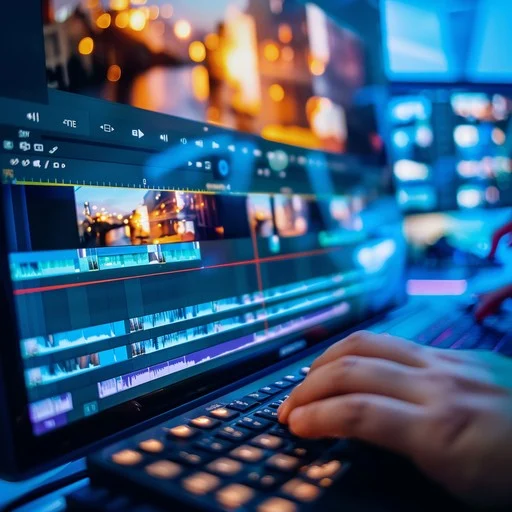
A good video can grab attention in seconds. But creating a good video is not just about recording footage and putting clips together. The editing decides how the story feels, how quickly the viewer understands the message and whether they want to keep watching.
Our Video Editing Course in Patiala at Kamal Media Academy is designed for students, beginners, content creators, freelancers, working professionals and anyone who wants to turn video editing into a practical career skill.
You will learn how to take raw footage and turn it into polished, engaging content using professional tools such as Adobe Premiere Pro and After Effects.
From basic cutting and transitions to colour grading, audio, motion graphics, titles and social media videos, the course focuses on the skills you can actually use to create professional content.
Why Video Editing Has Become Such a Useful Skill
Think about the content you see every day.
YouTube videos, Instagram Reels, advertisements, wedding films, business promotions, podcasts, educational videos and short-form content all depend on editing.
A good editor can take ordinary footage and turn it into something that feels professional, engaging and easy to watch.
Video editing can help you develop skills for:
- YouTube content
- Instagram Reels
- Short-form videos
- Business advertisements
- Social media content
- Promotional videos
- Educational videos
- Event and wedding videos
- Freelance projects
- Brand content
This makes video editing a useful skill for both creative professionals and people who want to work in the growing digital content industry.
What You Will Learn in Our Video Editing Course
The course starts with the basics and gradually introduces you to professional editing techniques.
The objective is not simply to teach you software buttons. You will learn how to think like an editor and make better decisions about pacing, visuals, sound and storytelling.
1. Video Editing Fundamentals
Before working on advanced effects, you need to understand how editing actually works.
You will learn:
- Basics of video production
- Understanding video formats
- Types of shots
- Timeline and editing workflow
- Importing media
- Organizing footage
- Basic storytelling
- Editing workflow
- File management
These fundamentals give you a better understanding of how a video moves from raw footage to a finished project.
2. Adobe Premiere Pro
Adobe Premiere Pro is one of the key tools used for professional video editing.
You will learn how to work with:
- Premiere Pro interface
- Projects and sequences
- Timeline editing
- Cutting and trimming
- Video and audio tracks
- Clips and media organization
- Transitions
- Text and titles
- Effects
- Basic colour correction
- Audio adjustments
- Export settings
The goal is to help you become comfortable with the complete editing workflow rather than learning individual features separately.
3. Cutting, Trimming and Timeline Editing
Editing starts with knowing what to keep and what to remove.
You will practice:
- Cutting clips
- Trimming footage
- Removing unwanted sections
- Arranging clips
- Creating smooth sequences
- Matching shots
- Improving pacing
- Using timeline tools
Good editing is often about knowing what not to include.
A video can have excellent footage but still feel boring if the pacing is slow or unnecessary sections are left in.
4. Transitions, Effects and Overlays
Transitions can help connect different clips and improve the flow of a video when used correctly.
You will learn about:
- Basic transitions
- Creative transitions
- Video effects
- Overlays
- Speed changes
- Visual effects
- Layering
- Timing effects
You will also understand why professional editing is not about adding an effect to every shot. Effects should support the content rather than distract from it.
5. Colour Correction and Colour Grading
Colour can completely change the mood of a video.
You will learn the difference between colour correction and colour grading and understand how colour can be adjusted to create a consistent visual appearance.
Topics can include:
- Exposure
- Brightness
- Contrast
- White balance
- Colour correction
- Skin tones
- Colour consistency
- Creative colour grading
- Matching different shots
These skills are useful for everything from YouTube videos to advertisements and cinematic content.
6. Audio Editing and Sound Design
Viewers may forgive average video quality, but poor audio can make a video difficult to watch.
You will learn the basics of:
- Audio cleanup
- Volume adjustment
- Voice balancing
- Background music
- Sound effects
- Audio transitions
- Noise reduction concepts
- Basic sound mixing
The objective is to create videos where the sound supports the visuals instead of competing with them.
7. Adobe After Effects
After Effects can be used to create motion graphics, animations and visual effects.
You will explore:
- After Effects fundamentals
- Layers
- Keyframes
- Animation basics
- Text animation
- Shape animation
- Motion graphics
- Visual effects
- Titles
- Logo animation
These skills can help you make your videos more dynamic and visually interesting.
8. Motion Graphics and Text Animation
Modern digital content often uses animated text, graphics and visual elements to communicate information quickly.
You can learn how to create:
- Animated titles
- Lower thirds
- Text animations
- Logo animations
- Simple promotional graphics
- Motion-based transitions
- Animated shapes
Motion graphics can be particularly useful for advertisements, YouTube videos, corporate content and social media.
9. YouTube Video Editing
YouTube has created opportunities for creators, businesses, educators and professionals to reach audiences through video.
You will learn how to approach YouTube editing with attention to:
- Video structure
- Intro and hook
- Pacing
- B-roll
- Text overlays
- Background music
- Transitions
- Titles
- Audience retention
- Final export
The aim is to help you create videos that are not only visually polished but also easy and interesting to watch.
10. Reels and Short-Form Video Editing
Short-form videos require a different editing mindset.
You often have only a few seconds to capture someone’s attention.
You will learn how to create content for:
- Instagram Reels
- YouTube Shorts
- Facebook videos
- Promotional short videos
- Vertical video formats
You can practice:
- Quick cuts
- Captions
- Text animations
- Beat-based editing
- Visual hooks
- Fast transitions
- Vertical video formatting
These skills can be useful for creators, influencers, brands and social media professionals.
11. Export Settings and Video Publishing
Creating the video is only part of the job. You also need to export it correctly.
You will understand:
- Video resolution
- Aspect ratios
- File formats
- Compression
- Frame rates
- Export settings
- Platform-specific requirements
- Video quality optimization
This helps ensure that your finished video looks good when uploaded to different platforms.
Practical Video Editing Training
Video editing becomes easier when you spend time actually editing footage.
At Kamal Media Academy, practical and hands-on learning is a key part of the academy’s training approach. The academy highlights live projects and professional tools including Premiere Pro and other industry-relevant software.
Instead of only watching editing demonstrations, practical work can help you understand how an editor handles a real project.
You can practice projects such as:
- YouTube videos
- Instagram Reels
- Promotional videos
- Short-form content
- Social media advertisements
- Motion graphics
- Colour correction
- Audio editing
- Video transitions
- Portfolio projects
Working on different types of videos also helps you discover which style of editing you enjoy most.
Who Should Join This Video Editing Course?
You don’t need to be a professional filmmaker to start learning video editing.
Students
Students interested in creative careers, content creation, media or digital marketing can develop a practical skill that can be used across multiple industries.
Beginners
If you have never used Premiere Pro or After Effects before, you can start from the basics and gradually build your editing skills.
Content Creators
YouTubers, Instagram creators and other content creators can learn how to edit their own videos instead of depending entirely on someone else.
Freelancers
Freelancers can offer video editing services to creators, businesses, agencies and individuals.
Social Media Professionals
Social media managers increasingly need video content for Reels, Shorts, advertisements and promotional campaigns. Video editing can therefore complement social media skills.
You can also explore our Digital Marketing Course in Patiala if you want to understand the marketing side of digital content.
Business Owners
Business owners can learn how to create promotional videos, product videos, social media content and other visual material for their brands.
Career Opportunities After Video Editing Training
Video editing can lead to different career paths depending on your interests and portfolio.
Possible opportunities include:
- Video Editor
- Junior Video Editor
- YouTube Video Editor
- Social Media Video Editor
- Reels Editor
- Motion Graphics Designer
- Post-Production Assistant
- Content Editor
- Freelance Video Editor
- Video Content Creator
You can work with production houses, digital agencies, brands, creators, media companies or freelance clients.
Your portfolio and practical ability will play an important role when looking for professional opportunities.
Build a Video Editing Portfolio
One of the best ways to demonstrate your editing ability is through your portfolio.
Instead of simply telling someone that you know Premiere Pro or After Effects, show them what you can create.
A beginner portfolio could include:
- One YouTube video
- Two or three Reels
- A promotional advertisement
- A before-and-after colour grading project
- A motion graphics video
- A product video
- A short cinematic edit
- A talking-head video
A varied portfolio helps potential clients or employers understand your editing style and capabilities.
You can also explore the Students Work page to see examples of practical work from learners.
Video Editing and Digital Marketing Work Together
Video editing is especially valuable when combined with digital marketing.
A digital marketer may need videos for:
- Instagram campaigns
- YouTube marketing
- Paid advertisements
- Product promotions
- Brand awareness
- Social media content
- Lead-generation campaigns
A video editor who understands marketing can create content with the audience and business objective in mind.
If you want to develop both skills, explore our Digital Marketing Course in Patiala. For learners interested in paid advertisements, our Performance Marketing Course in Patiala can complement video editing skills by teaching you how digital ads are planned, targeted and measured.
Video Editing and Graphic Designing
Video and graphic design often overlap.
A video editor may need:
- Thumbnails
- Logos
- Social media graphics
- Titles
- Banners
- Brand elements
- Promotional creatives
Learning graphic design alongside video editing can therefore help you create more complete visual content.
Explore our Graphic Designing Course in Patiala if you want to develop additional creative skills.
Why Choose Kamal Media Academy?
Learning video editing is not just about installing software and watching tutorials. You need an environment where you can practice, ask questions and work on different types of projects.
Kamal Media Academy focuses on practical, career-oriented digital skills and currently offers training in Digital Marketing, Video Editing, Graphic Designing and Performance Marketing.
Some benefits of the learning approach include:
- Practical project-based training
- Step-by-step guidance
- Beginner-friendly learning
- Professional editing tools
- Portfolio development
- Freelancing guidance
- Career-focused training
- Flexible learning options
- Punjabi-friendly teaching
The academy offers offline, online live, recorded and hybrid learning modes from its location in Chotti Baradari, Patiala.
To learn more about the academy and its approach, visit our About Us page.
Explore Other Courses at Kamal Media Academy
Video editing becomes even more useful when combined with other digital skills.
If you want to expand your skill set, you can explore:
Digital Marketing
Learn SEO, social media marketing, content marketing, analytics and other online marketing skills through our Digital Marketing Course in Patiala.
Graphic Designing
Learn Canva, Photoshop, Illustrator, branding, logo design and social media creatives through our Graphic Designing Course in Patiala.
Performance Marketing
Learn Meta Ads, Google Ads, lead generation, campaign optimization and paid advertising through our Performance Marketing Course in Patiala.
Combining video editing with marketing or graphic design can be particularly useful for freelancers and content professionals who want to offer multiple services.
About Kamal Media Academy
Kamal Media Academy is focused on helping students and working professionals develop practical digital skills that can be applied in real-world situations.
The academy emphasizes learning by doing, with practical sessions, live projects and industry-relevant tools. It also supports learners interested in jobs, freelancing and business opportunities.
The academy offers courses in Digital Marketing, Video Editing, Graphic Designing and Performance Marketing, allowing learners to choose a path according to their interests and career goals.
To learn more about the academy, trainers and learning environment, visit our About Kamal Media Academy page.
Is Video Editing a Good Skill to Learn?
Video has become a major way for businesses, creators and brands to communicate online.
From a small business advertisement to a YouTube channel, good editing can make content clearer, more engaging and more professional.
The benefit of learning video editing is that the skill can be used across different types of work.
You can use it to:
- Work for a company
- Join a creative or digital agency
- Edit videos for creators
- Work as a freelancer
- Create your own YouTube channel
- Produce social media content
- Edit business advertisements
- Create promotional videos
- Build a video production portfolio
The important thing is to keep practicing. Software features can be learned, but storytelling, pacing and creative judgement improve through experience.
Ready to Start Editing?
You don’t need to become an expert overnight. Start with the basics, practice on real footage, experiment with different editing styles and gradually develop your own creative approach. If you are looking for a Video Editing Course in Patiala where you can learn Premiere Pro, After Effects, colour grading, audio editing, motion graphics, Reels, Shorts and YouTube video editing, Kamal Media Academy can help you build a strong foundation. Learn the software. Edit real projects. Build your portfolio. For course details, upcoming batches, learning modes and admission information, visit our Contact Us page.